Business conversations no longer stay in one place. They happen in email, Slack, Microsoft Teams, WhatsApp, and SMS, often within the same hour. Attackers have followed the conversation. They send fake help desk messages, impersonate executives, and drop malicious links into channels people already trust.
A messaging security agent is software built for this reality. It watches business messaging channels, inspects messages, links, and attachments as they arrive, and flags, blocks, or escalates threats like phishing and data leaks before a person clicks the wrong link. The agent combines fast rule-based filters with an AI model that reasons about context and intent, then applies policy to decide what happens next. The main benefits are real-time protection across email and chat, fewer successful impersonation attempts, and a clear audit trail for compliance. The main uses are catching business email compromise (BEC), stopping credential and data leaks, and guarding chat apps that traditional email tools never see. The main parts are an ingestion layer connected through APIs, a context engine, a threat analysis engine, a policy and response module, a logging layer, and a human escalation path.
This guide explains what a messaging security agent is, how it works, what to look for, where it falls short, and how to deploy one without disrupting the team.
Key Takeaways
- A messaging security agent is AI-driven software that monitors business messaging channels in real time and acts on threats like phishing, impersonation, and data leaks.
- Business messaging became the new attack surface because chat apps carry implicit trust, remote work made them central, and generative AI made scams convincing at scale.
- The agent works in five stages: ingestion, context building, threat analysis, decision and action, and a feedback loop that improves accuracy over time.
- It does not replace a spam filter, email security gateway, data loss prevention (DLP) tool, or antivirus. It fills the gap those tools leave in chat apps and in-context attacks.
- Core capabilities to demand include real-time phishing detection, impersonation and BEC protection, PII and secrets detection, behavioral anomaly detection, cross-platform coverage, automated response, explainable decisions, compliance logging, and human escalation.
- The agent has real limits: coverage gaps on unconnected channels, novel attacks, false positives that cause alert fatigue, and no substitute for employee training.
- Deployment works best as a staged rollout that starts in flag-only mode, tunes the policy, then moves to blocking.
- Governance is a choice, not a default. Scope, oversight, and retention rules decide whether the agent touches private conversations.
What Is a Messaging Security Agent (MSA)?
A messaging security agent (MSA) is software that monitors business messaging channels and protects them from threats. It inspects messages, links, and attachments in real time, then flags, blocks, or escalates anything that looks dangerous. The agent connects to platforms through their APIs and applies policy to every message that passes.
The term carries two meanings, and both matter.
The first is a specific product component. Trend Micro’s Worry-Free Business Security includes a module called the Messaging Security Agent that protects Microsoft Exchange email servers. That module reduces spam, blocks messages by content, restricts risky attachments, detects malicious URLs, and helps prevent confidential data leaks. It installs only on Microsoft Exchange.
The second is a general category. A messaging security agent is any AI-driven tool that secures business communication across email and chat apps, not just one email server. This guide focuses on the second meaning, because that is what most security teams evaluate today.
The distinction between the two meanings shows up in how vendors describe their products. Some call the tool an email security agent, others a secure messaging agent, and others messaging security software. The label changes. The job does not: inspect every message, understand context, and act before damage happens.
A related question people ask is what is direct secure messaging. Direct secure messaging describes a channel where two parties exchange messages with encryption and identity verification built in. A messaging security agent adds a policy and threat layer on top of that channel. Message security protects the content of a single message. Transport security protects the pipe that carries it. A messaging security agent sits above both and asks a different question: should this message reach this person at all?
Why Business Messaging Became the New Attack Surface
Email remains a major channel for attackers, and it still matters. The FBI’s 2024 Internet Crime Report lists business email compromise (BEC) and phishing among the most reported and most costly crime types, and the pattern has held for years. Attackers go where the money and the trust are.
The attack surface has grown well beyond the inbox. Three changes explain why.
Chat apps carry implicit trust. A message in your company Slack or Microsoft Teams feels safer than a cold email, so people let their guard down. Attackers know this and exploit it.
Remote work made chat central. Distributed teams run entire projects through messaging. Decisions, approvals, and file sharing all happen in channels, which makes those channels a rich target.
AI makes scams convincing. Generative AI writes clean, personalized phishing messages at scale, with no spelling mistakes to give them away. A well-crafted impersonation message can pass a quick human read.
Security researchers now document attacks moving directly into collaboration tools. Microsoft has reported attackers using Teams for fake tech-support calls, help desk impersonation to steal multi-factor codes, and malware delivery through chat. The same discipline that drives good computer virus prevention now has to reach every channel a team uses.
The pattern across these attacks is social engineering. The attacker does not break encryption. The attacker convinces a person to hand over access. A messaging security agent is built to catch that moment.
How a Messaging Security Agent Works
Most messaging security agents follow a similar pipeline, whether they protect email, chat, or both. Understanding the pipeline helps you judge any tool you evaluate.
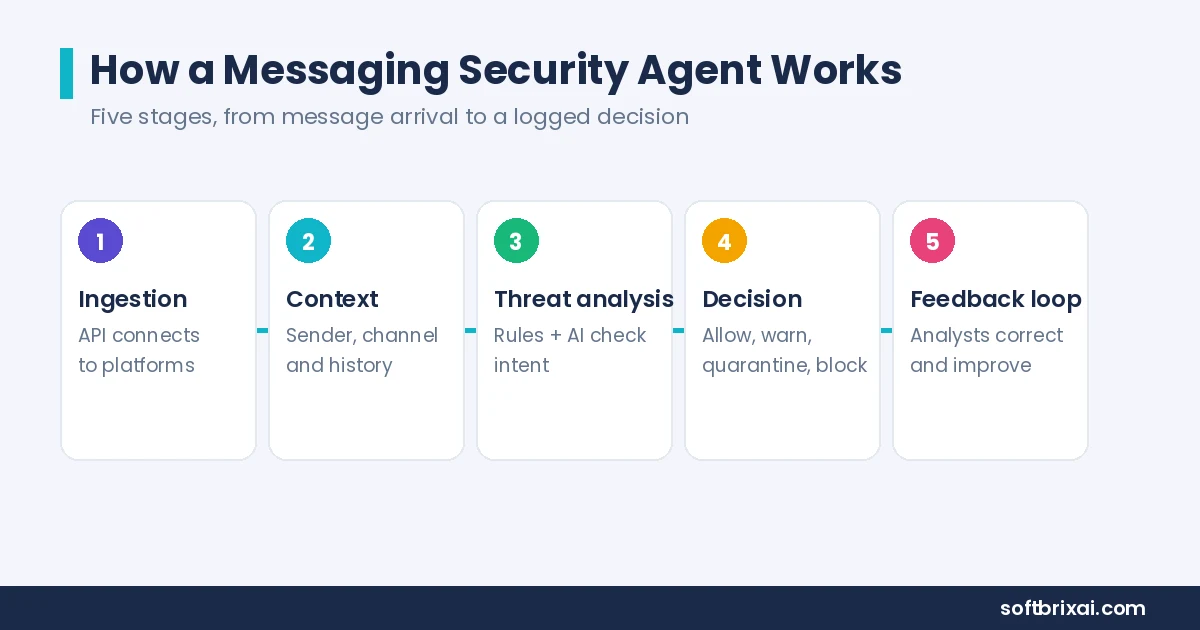
Ingestion. The agent connects to your messaging platforms through their APIs and sees messages, links, and attachments as they move. Coverage depends on which platforms offer the integrations the agent supports.
Context building. The agent gathers signals around each message: who sent it, their normal behavior, the channel, the time of day, and whether the request is unusual for that person. This stage separates an agent from a filter.
Threat analysis. The agent checks the message for danger. Many tools use a hybrid approach. Fast, cheap rule-based filters handle the obvious cases, and a heavier AI model examines the ambiguous ones for intent. The agent reasons about context and intent, so it can catch a well-written impersonation message that carries no obvious spam signals.
Decision and action. Based on policy, the agent allows the message, warns the user, quarantines it, blocks the sender, or escalates to your security team. Automated response keeps the decision fast. Human escalation keeps the hard calls honest.
Feedback loop. Analysts confirm or correct the agent’s calls, and the system uses that feedback to improve over time. Explainable decisions make this loop possible, because an analyst cannot correct a verdict the tool will not explain.
How It Scans a Message, Step by Step
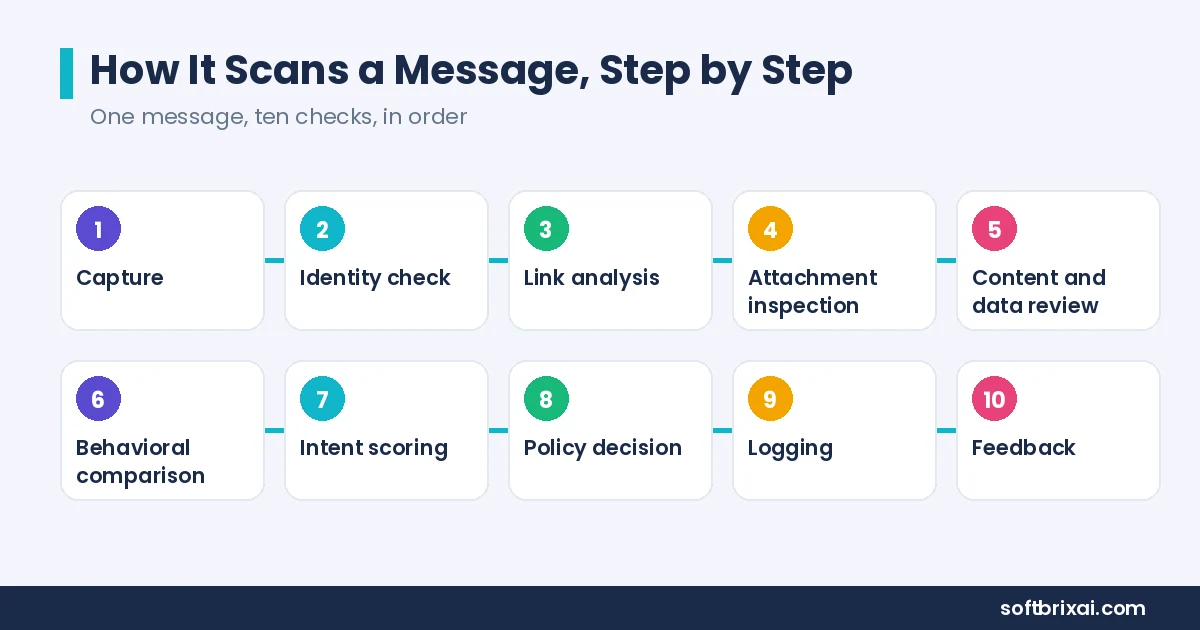
A single message passes through a defined sequence. Here is the sequence in order.
- Capture. The agent receives the message through the platform API, including sender identity, channel, timestamp, body text, links, and attachments.
- Identity check. The agent verifies the sender against known directory data. A display name that matches an executive but an address that does not is a signal.
- Link analysis. The agent resolves every URL, checks reputation, and inspects the destination page for credential harvesting patterns.
- Attachment inspection. The agent detonates suspicious files in an isolated sandbox and checks for malware, macros, and hidden payloads.
- Content and data review. The agent scans for personal data, credentials, API keys, and secrets that should not leave the organization.
- Behavioral comparison. The agent compares the request against the sender’s normal pattern. A finance user asking for payment details at an unusual hour raises the score.
- Intent scoring. The AI model weighs all signals together and produces a risk score with a short explanation.
- Policy decision. The policy engine maps the score to an action: allow, warn, quarantine, block, or escalate.
- Logging. The agent writes the decision, the signals, and the action to an audit log.
- Feedback. Analysts review escalations, confirm or correct the verdict, and the model updates.
The whole sequence runs in milliseconds for most messages. The heavy analysis only fires on ambiguous cases, which keeps performance and cost reasonable.
Messaging Security Best Practices: Core Capabilities to Look For
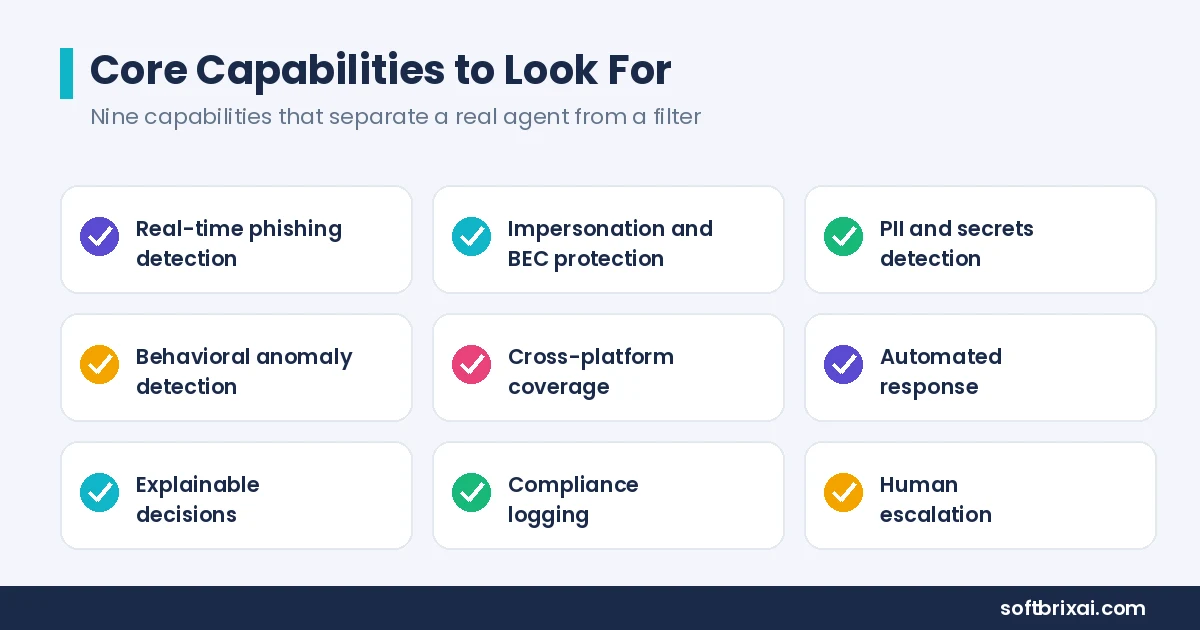
Not every tool labeled a messaging security agent does the same things. When you evaluate one, look for these nine capabilities. Prioritize the ones that match your biggest risks.
Real-time phishing detection flags malicious links and impersonation as messages arrive, not after someone reports them. Speed matters because a phishing link clicked in the first minute does the most damage.
Impersonation and BEC protection spots fake executives, vendors, and help desk requests. The agent compares display names, addresses, and writing patterns against known identities. Writing-style checks help catch a sender who copies an executive’s tone but not their account.
PII and secrets detection catches leaked credentials, API keys, and personal data in messages. This capability overlaps with data loss prevention, but it works inside chat, where DLP tools often have no visibility.
Behavioral anomaly detection notices when an account acts out of character, which is a sign of takeover. Unusual-behavior alerts can pause a suspicious session before the attacker finishes the request.
Cross-platform coverage works across email, Slack, Microsoft Teams, and other channels, not just one. A tool that protects email but not chat leaves the fastest-growing channel open.
Automated response blocks, quarantines, or warns without waiting for a human. The policy engine decides the action, and the response fires in the same second.
Explainable decisions tell you why the agent flagged something, so analysts can trust it and correct it. A verdict with no reasoning is a verdict no one can audit.
Compliance logging keeps records for audits and regulations. Tamper-proof logs matter for regulated industries that must show the log was not altered.
Human escalation routes hard cases to your security team instead of guessing. The agent should know when it does not know.
When you trial a tool, run it in flag-only mode on your real channels for at least two weeks before you judge it. Count how many flags were correct, how many were false alarms, and whether each flag explained itself clearly enough for an analyst to act on. A tool that looks accurate in a vendor demo but floods your team with vague alerts in production will cost more trust than it saves.
A mature product also handles edge cases that rarely appear in demos. Look for verification of short-lived messages, tracking that shows where a forwarded message originated, and risk scoring that weighs messages to high-value recipients more heavily. Tamper-proof logs and access cleanup after an employee leaves protect the organization. These features separate enterprise messaging security from a basic filter.
Messaging Security Agent vs. Spam Filters, Antivirus, DLP, and Email Gateways
A common question is how a messaging security agent differs from tools you already run. Here is a direct comparison.
| Tool | What it covers | How it decides |
|---|---|---|
| Spam filter | Mostly email | Static rules and known-bad lists |
| Antivirus | Devices and files | Signatures and behavior heuristics |
| Email security gateway | Email, one channel | Rules, reputation, and signatures |
| Data loss prevention (DLP) | Data leaving the organization | Policies on sensitive data types |
| Messaging security agent | Email and chat apps | Context and intent, often with AI |
A spam filter mostly uses fixed rules and known-bad lists on email. It catches bulk spam well and misses a targeted, well-written impersonation message.
An antivirus tool protects devices and files. It stops malware that reaches a machine. It does not read a chat message that asks a person to approve a payment.
An email security gateway protects one channel, email, using mature standards like SPF, DKIM, and DMARC. Those standards are valuable and should stay in place. They do not apply to Slack, Microsoft Teams, or WhatsApp.
A data loss prevention tool enforces policies on sensitive data types. It excels at stopping a spreadsheet of customer records from leaving through email. It often has limited reach into chat apps.
A messaging security agent fills the gap these tools leave: real-time, context-aware protection across chat apps where traditional email standards do not apply. It does not replace your gateway, DLP, or antivirus. It works alongside them.
The comparison matters when you build a stack. A secure email gateway handles email authentication and reputation. DLP handles data classification and policy. Antivirus handles endpoint malware. The messaging security agent handles intent and context across every channel, including the ones the other tools cannot see.
Where a Messaging Security Agent Falls Short
A good tool is honest about its limits. This one is not a complete fix.
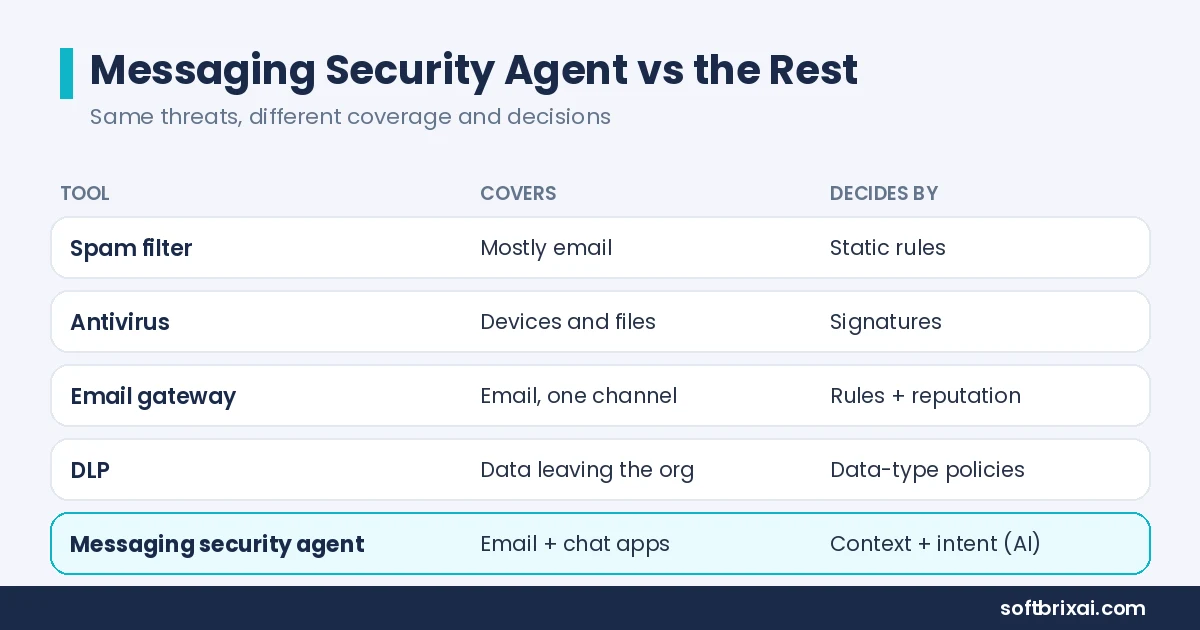
Coverage gaps. The agent only protects channels it is connected to. An unintegrated app, a personal device, or a shadow channel stays a blind spot. Regular checks for unapproved channels help find those gaps, but they cannot close every one.
Novel attacks. Clever new framing can slip past AI models that have not seen anything like it before. Attackers adapt, and the model has to keep learning.
False positives. Too many wrong flags cause alert fatigue, and teams start ignoring warnings. The agent’s value drops the moment people stop reading its alerts.
Latency tradeoffs. Deep analysis takes time. A tool tuned for maximum inspection can add friction to live conversations. Adjusting inspection depth based on current load helps balance speed and depth, but the tradeoff never disappears.
It does not replace training. People still need to recognize and report suspicious messages. The agent reduces risk, it does not remove it.
Treat the agent as one strong layer in your defense, not the whole wall. It works best when it feeds a security team that reviews escalations and tunes policy.
Who Needs a Messaging Security Agent?
Messaging security matters most where the cost of a single bad message is high. Five groups benefit most.
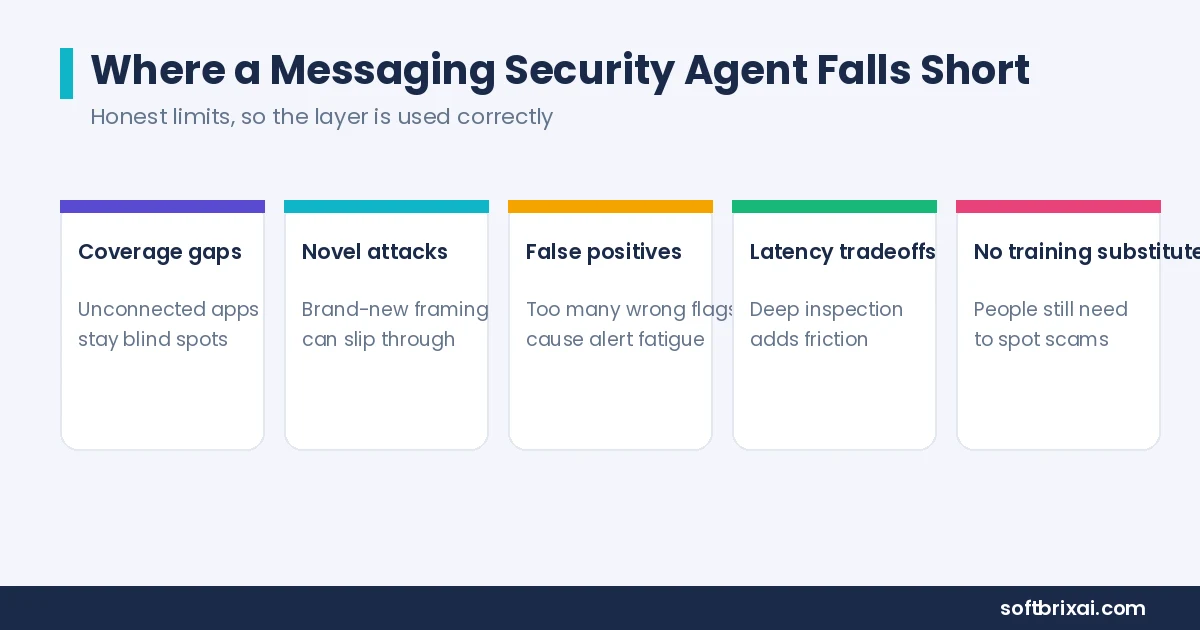
Financial teams. A fake urgent payment request from a spoofed CFO is a classic BEC attack with direct financial loss. Finance teams handle payment approvals daily, which makes them a prime target.
Healthcare organizations. Patient data moves through messages and must stay protected under rules like HIPAA. A leaked record in a chat message is a compliance incident.
Customer support. Support reps are targeted by social engineering that tries to reset accounts or leak data. Help desk impersonation is one of the most common chat-based attacks.
Remote and distributed teams. These teams live in chat apps, which widens the attack surface. Every channel they adopt is a channel an attacker can use.
Any regulated business. Compliance logging and data protection are not optional. An audit trail of message decisions supports regulatory review.
Smaller teams may be fine with the messaging security built into their email and chat platforms. Larger or higher-risk organizations usually need a dedicated layer with cross-platform coverage and a real escalation path. The right moment to add one is usually when chat becomes the place where approvals and payments happen, not just conversation.
Real-World Use Cases
The value of a messaging security agent shows up in specific scenarios. Here are six that security teams report most often.
Stopping a CFO impersonation in chat. An attacker creates a display name that matches the CFO and messages a finance analyst in Microsoft Teams asking for an urgent wire transfer. The agent compares the sender address against the directory, flags the mismatch, scores the request as suspicious, and holds the message for review. The analyst never sees the request, so the pressure to act fast disappears with it.
Catching a help desk impersonation. An attacker poses as IT support and asks an employee for a multi-factor code. The agent recognizes the pattern, warns the employee, and escalates to the security team. Automatic removal of the code from the message thread can limit the damage. The employee also learns what the real IT process looks like, which makes the next attempt easier to spot.
Detecting leaked secrets in a channel. A developer pastes an API key into a shared Slack channel by mistake. The agent detects the secret pattern, removes the message, and notifies the developer. PII and secrets detection prevents a quiet exposure from becoming a breach.
Blocking a malicious attachment. A vendor account is compromised and sends an invoice with a malicious attachment through email. The agent opens the file in an isolated sandbox, confirms the malware, and quarantines the message before anyone opens it.
Stopping a supply-chain message attack. An attacker compromises a supplier’s messaging account and sends a payment change request. Checks on the supplier’s signing practices and on the path the message travelled help the agent flag the request as coming from an untrusted path.
Protecting a departing employee’s messages. An employee leaves the company, and their account still receives sensitive messages. Access removal and archiving of the threads according to policy protect the organization.
Each use case shares a pattern: the agent catches a request that looks normal in isolation but suspicious in context. That is the core value of context and intent analysis.
Governance, Privacy, and Compliance
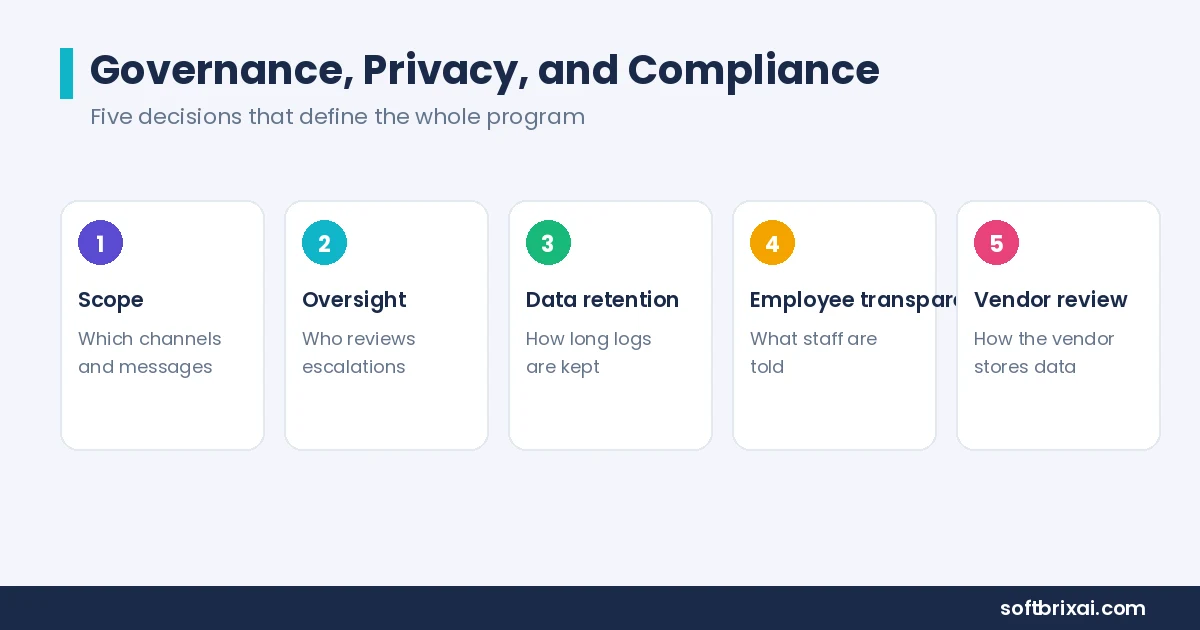
Because the agent reads messages, how you govern it matters as much as the technology. Five decisions define the program.
Scope. Decide which channels and which messages the agent can access. Document the decision and share it with employees.
Oversight. Assign who reviews the agent’s decisions and handles escalations. A tool with no owner becomes a source of ignored alerts.
Data retention. Set how long flagged messages and logs are kept, and who can see them. Tamper-proof logs support audit requirements.
Employee transparency. Tell employees what is monitored and why. Clear communication builds the trust that keeps the system working.
Vendor review. Confirm how the vendor stores data, where processing happens, and what access the vendor has. Ask vendors about emerging capabilities such as privacy-preserving metadata checks and future-proof encryption during procurement.
Can the agent read private conversations? That depends entirely on how you set it up. Most tools can be scoped to business channels and policy, so it is a governance choice, not a technical default. A healthcare organization under HIPAA will scope differently than a marketing team. The agent enforces the policy you write.
Compliance logging ties the program together. Every decision should produce a record that shows the message, the signals, the action, and the analyst who reviewed it. That record is what an auditor asks for.
How to Deploy a Messaging Security Agent
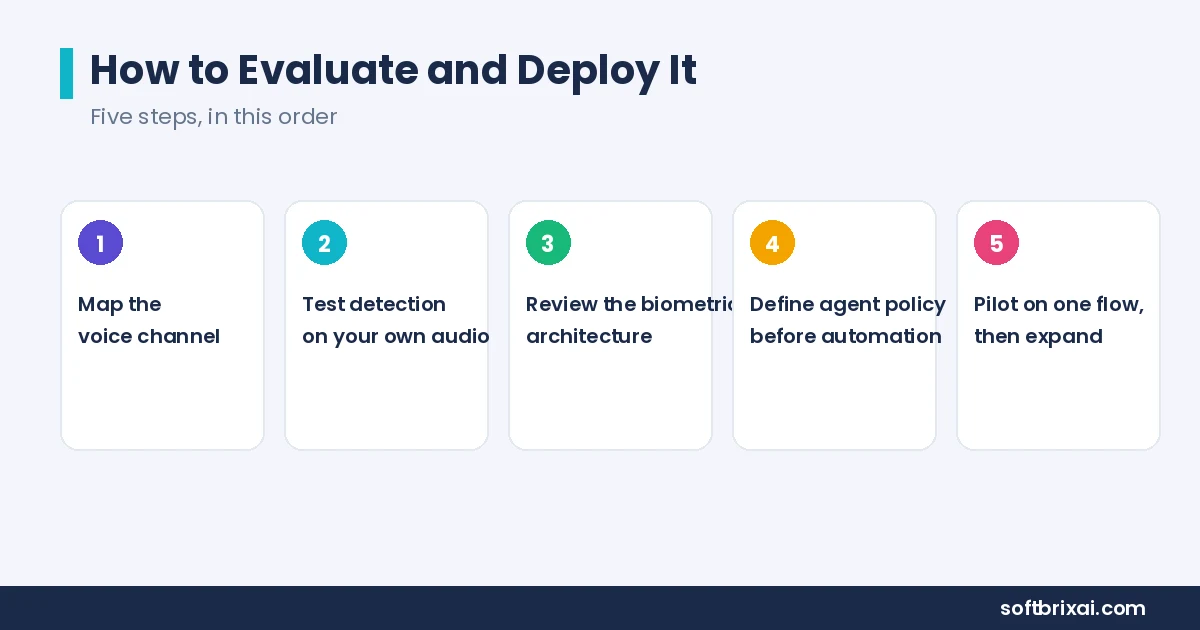
Rolling one out works best as a staged process, not a single switch. Six steps cover the rollout.
- Map your messaging surface. List every channel your team uses: email, Slack, Microsoft Teams, SMS, WhatsApp, and any others. Include shadow channels people adopted without IT approval.
- Define your risk policy. Decide what matters most, such as stopping payment fraud, protecting patient data, or catching leaked secrets. Rank the risks so the policy reflects priority.
- Choose a fitting architecture. A hybrid of fast filters and deeper AI analysis keeps performance high and costs reasonable. Confirm the agent supports the platforms you actually use.
- Integrate with your existing tools. Connect the agent to your security workflows so alerts land where your team already works. Email security management consoles and ticketing systems are common integration points.
- Start in flag-only mode. Let the agent watch and warn before it blocks, so you can tune it without disrupting real work. Flag-only mode is the step teams most often skip, and it is the one that prevents a flood of false blocks on day one.
- Review and improve. Check the agent’s decisions, correct mistakes, and tighten rules as new threats appear. Run a periodic review of escalations to keep the feedback loop healthy.
Three rollout mistakes show up again and again. The first is skipping flag-only mode and blocking on day one, which turns every false positive into a work disruption. The second is giving the tool no owner, so escalations pile up unread and the policy never gets tuned. The third is connecting only email and declaring the job done, while the chat channels where the real risk lives stay unwatched. Avoiding these three mistakes matters more than picking the most advanced model.
After the rollout stabilizes, expand coverage channel by channel. Add SMS and WhatsApp only after email and chat are tuned. Consistent sender authentication for each new channel helps ensure it matches the rest of the stack.
Do You Still Need Employee Training?
Yes. A messaging security agent does not replace employee training, and training does not replace the agent. The two work together.
The agent catches what technology can see. Training builds the judgment that catches what technology misses. A person who recognizes a help desk impersonation pattern reports it faster, and that report improves the agent’s feedback loop.
Security awareness training should cover the attacks the agent is built to stop: phishing, BEC, social engineering, and credential theft. Short, frequent sessions work better than one annual briefing. Simulated phishing exercises give people practice without real risk.
The agent reduces the volume of attacks that reach employees. Training reduces the chance an employee falls for the ones that get through. Organizations that invest in both report fewer successful attacks than organizations that rely on either alone.
Final Thoughts
Business communication has spread across email and a dozen chat apps, and attackers have spread with it. A messaging security agent brings context-aware protection to all of those channels, catching the phishing, impersonation, and data leaks that older, single-channel tools miss.
The agent is not magic. It has coverage gaps, it can be fooled by novel attacks, and it produces false positives that need tuning. It does not replace training, your email security gateway, DLP, or antivirus. But as one layer among several, it closes a gap that has become one of the easiest ways into a business.
Map your channels, set clear policies, start in flag-only mode, and treat the agent as part of a wider plan. Pair it with security awareness training and a security team that reviews escalations. That combination protects email and chat, and it keeps the protection honest as threats change.
Frequently Asked Questions
What is a messaging security agent in simple terms?
A messaging security agent is software that watches your business messages, in email and chat, as they arrive. It checks each message for threats like phishing, impersonation, or leaked data, then flags, blocks, or escalates the dangerous ones before they cause harm. It connects to platforms through APIs, applies your policy, and logs every decision. Think of it as a security analyst that reads every message in context and acts in real time, with a human available for the hard calls.
Is a messaging security agent the same as a spam filter?
No. A spam filter mostly uses fixed rules and known-bad lists on email. It catches bulk spam well and misses targeted attacks. A messaging security agent reasons about context and intent across email and chat, so it catches well-written impersonation messages a spam filter misses. The agent also covers chat apps where spam filters have no reach. The two tools complement each other: the spam filter handles volume, and the agent handles targeted, context-dependent threats. For a team, the spam filter may be enough for email, but once work moves into chat, the agent watches conversations the filter never sees.
Can a messaging security agent read private conversations?
It depends on how you set it up. Most tools can be limited to business channels and company policy, so whether the agent touches private messages is a governance decision you control, not an automatic behavior. Your scope policy, retention rules, and employee transparency practices decide the answer. Document the scope, tell employees what is monitored, and review the policy regularly. The technology supports many configurations; the organization chooses which one applies. Review the policy with your team before rollout, and revisit it whenever you add a new channel.
Does adding a messaging security agent slow down chat performance?
Usually no, if the tool uses a hybrid architecture. Fast rule-based filters handle most messages in milliseconds, and the heavier AI model only examines ambiguous cases. That design keeps latency low for normal conversations. A tool tuned for maximum inspection on every message can add noticeable delay. Ask vendors about their latency profile, test in flag-only mode, and watch for slowdowns during peak hours before you move to blocking. If slowdowns appear, narrow the deep inspection to high-risk channels first and keep the rest on fast filters.
How is this different from an email security gateway?
An email security gateway protects one channel, email, using mature standards like SPF, DKIM, and DMARC. A messaging security agent extends protection to chat apps, SMS, and in-app messaging, where those email standards do not apply. The gateway authenticates and filters email at the network edge. The agent reads context and intent across every connected channel. Most organizations run both: the gateway for email hygiene, and the agent for cross-channel, context-aware threat detection. Budget for both if your team works across email and chat, since neither tool covers the other one’s channel.
Is “Messaging Security Agent” a Trend Micro product?
It is one meaning of the term. Trend Micro’s Worry-Free Business Security includes a module called the Messaging Security Agent that protects Microsoft Exchange email servers. That module reduces spam, blocks content, restricts attachments, detects malicious URLs, and helps prevent data leaks. More broadly, the term also describes the general product category of AI tools that secure business email and chat across multiple platforms. Both meanings are valid, and context usually makes clear which one applies. When you read vendor pages, check whether they mean the Exchange module or the broader category.
How much does a messaging security agent cost?
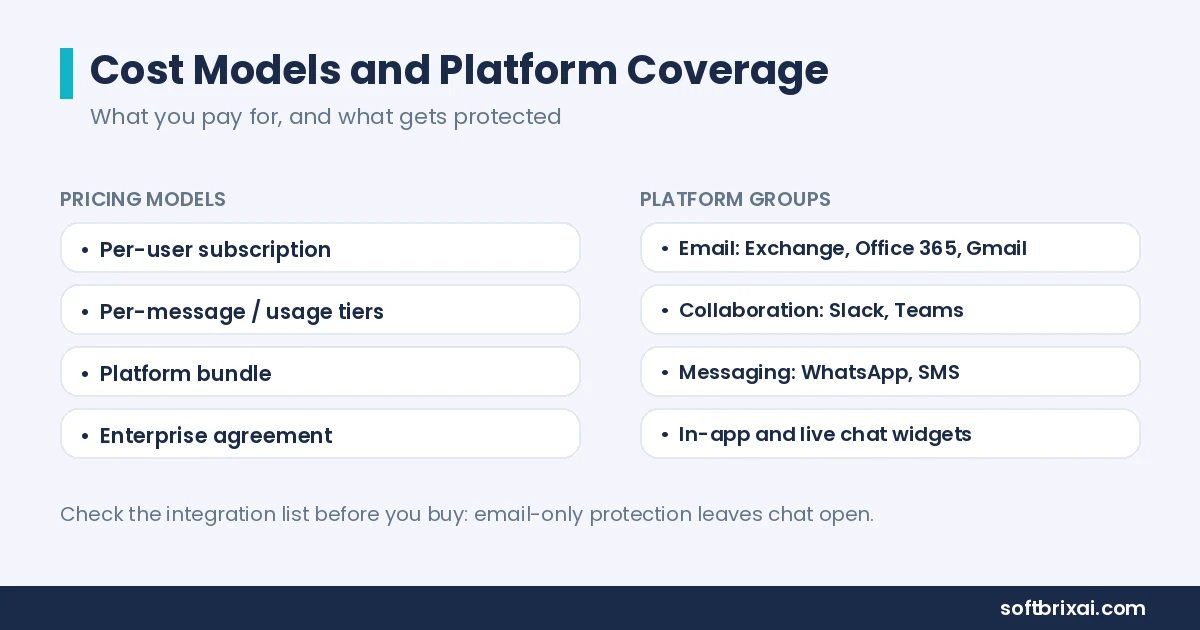
Pricing follows a few common models. Per-user subscriptions charge a monthly or annual fee for each protected employee. Per-message or usage-based tiers charge by volume, which suits organizations with bursty traffic. Platform-based pricing bundles the agent with a broader security suite. Enterprise agreements add support, compliance logging, and custom integrations. Costs vary with coverage breadth, the number of connected channels, and the depth of AI analysis. Request a quote based on your channel count and user total rather than comparing list prices.
Messaging Apps Security: Which Platforms Does It Protect?
Coverage depends on the vendor, but mature messaging security agents protect four platform groups. Email platforms include Microsoft Exchange, Office 365, and Gmail. Collaboration apps include Slack and Microsoft Teams. Consumer and business messaging apps include WhatsApp and SMS gateways. In-app and live chat widgets cover customer-facing conversations. Confirm the agent supports the platforms your team actually uses, including shadow channels. A tool that protects email but not chat leaves the fastest-growing channel open, so check the integration list before you buy.