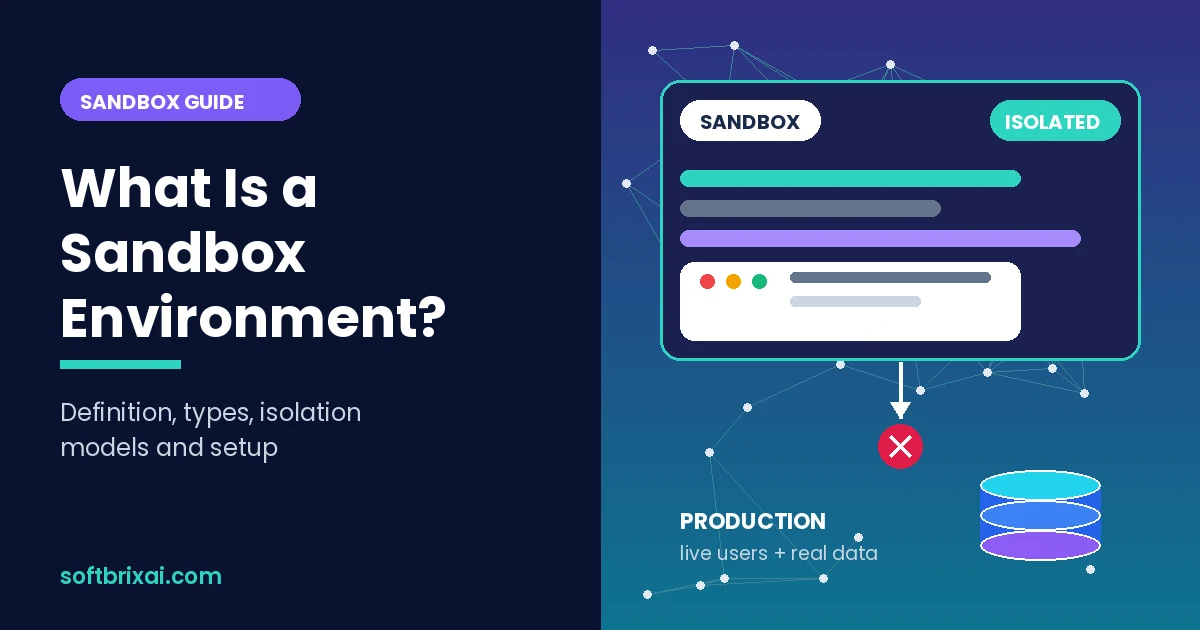
A sandbox environment is an isolated, controlled space where teams run code, test software, or open suspicious files without touching production systems. The sandbox gives you a contained environment with its own resources, its own data, and its own access rules, so a mistake stays inside the environment instead of reaching real users or live data.
Sandboxes matter because they reduce risk. A developer can test a new feature, a tester can run automated checks, a security analyst can open malware, and an AI coding agent can execute generated code, all without exposing the production environment. The main parts are the isolation boundary, the resource limits, the access controls, and the monitoring that records what happens inside.
This guide explains what a sandbox environment is, how it works, the main types, the isolation models behind it, how it differs from a test environment and staging, and how to set one up for software deployment.
Key Takeaways
- A sandbox environment is an isolated replica of a system where code, files, or users can operate without affecting production.
- Sandboxes rely on an isolation boundary. That boundary can be process-level isolation with containers, advanced isolation runtimes such as gVisor or Firecracker, or full VM isolation.
- There are 4 main types of sandbox environments: development sandboxes, sandbox test environments, security sandboxes, and API or third-party sandboxes.
- A sandbox is not the same as a test environment or staging. A test environment is broader, staging is the final pre-production stage, and a sandbox is a contained space for safe experimentation.
- Sandboxes can be ephemeral (short-lived and disposable) or persistent (long-running and stateful).
- AI-generated code raises the stakes. A Gartner 2025 survey of 302 cybersecurity leaders found that 69% suspected or had evidence of prohibited public GenAI tool use inside their organizations, which makes contained execution spaces more important than ever.
- Good sandbox environments for software deployment offer strong isolation, identity integration with single sign-on (SSO), audit logging, low-friction deployment, and a choice between self-hosted and managed options.
What Is a Sandbox Environment?
A sandbox environment is an isolated computing space that mirrors parts of a real system while blocking access to live data and production systems. Teams use a sandbox environment to test code changes, run new features, open untrusted files, or let users practice in a safe environment without side effects.
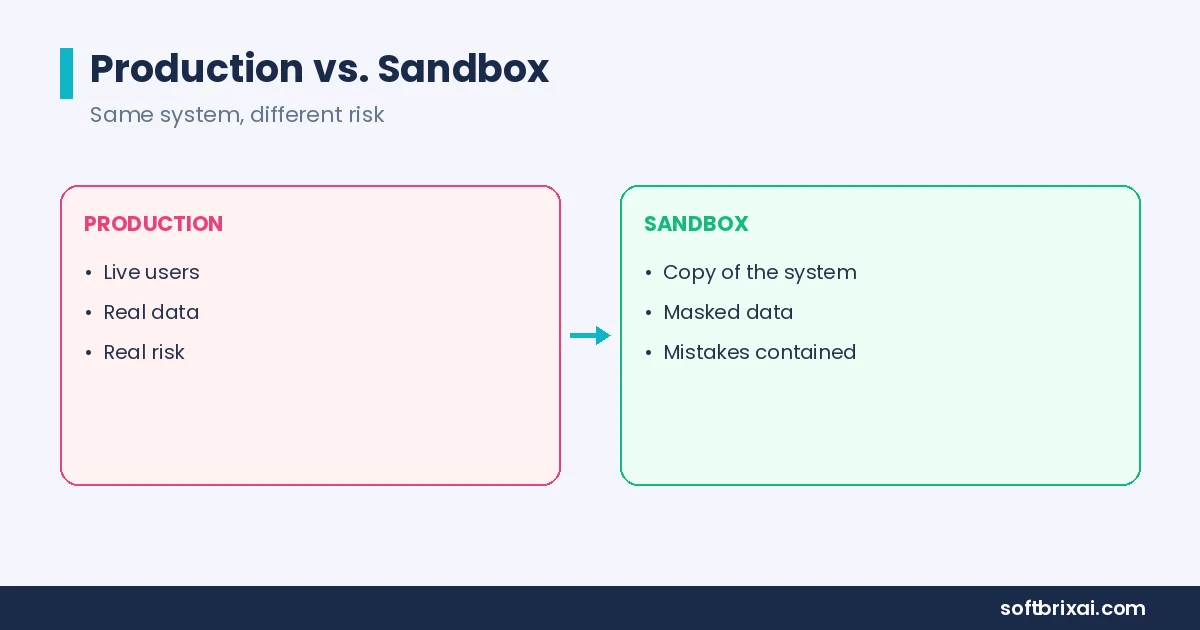
The core idea is containment. A sandbox environment has strict boundaries: its own network rules, its own access controls, its own environment variables, and often its own database. When something breaks inside the sandbox, the failure stays contained. Production keeps running.
Sandbox environments serve developers, testers, administrators, and end users. Developers use them to experiment with new code. Testers use them to run quality checks. Administrators use them to simulate user interactions and troubleshoot broken functionality. End users use them for training, so a mistake in a training session never causes data corruption or unintended consequences in the live environment.
A sandbox environment is a replica, not the real thing. It simulates enough of production to be useful, but it never carries the full risk of production. That trade-off is the whole point.
What Is a Sandbox? Meaning, Origin, and Everyday Use
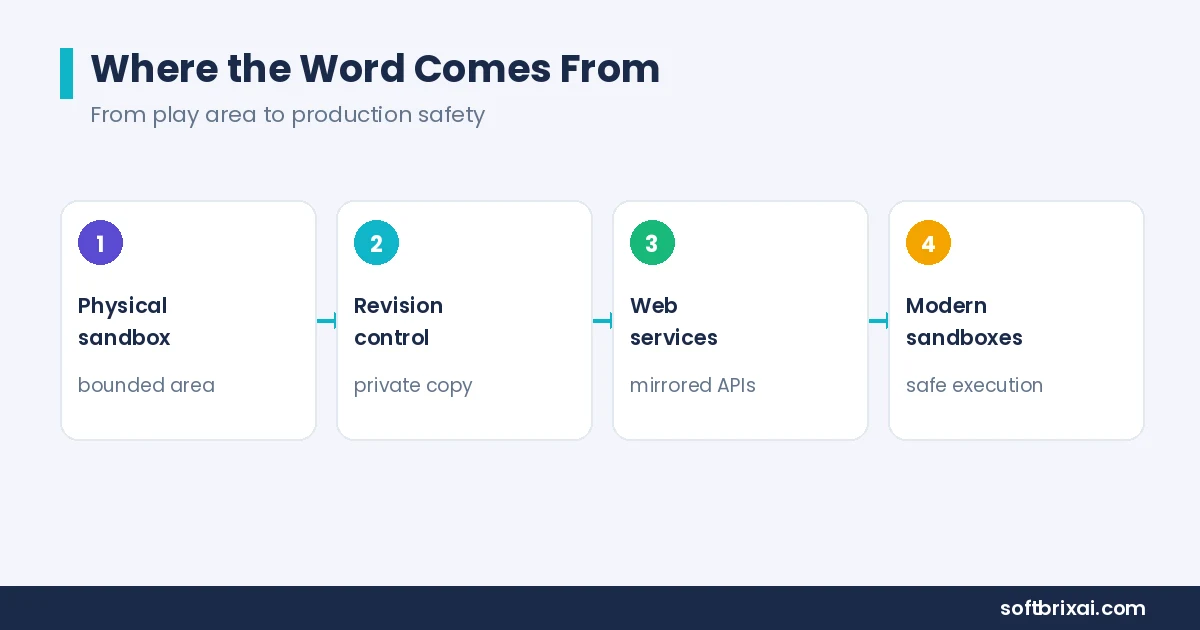
A sandbox is a bounded area where you can experiment freely without affecting anything outside it. The term comes from the physical sandbox: a contained play area where children build and knock things down without consequences. In computing, the sandbox definition is the same idea applied to software: a contained space for safe experimentation.
The sandboxed meaning in tech is straightforward. When something runs “sandboxed,” it runs inside enforced boundaries. The software can read, write, and execute within its allowed scope, but it cannot reach outside that scope without permission.
Sandboxing has a long history in software. Revision control systems such as Git, Subversion (SVN), and CVS let developers check out a copy of the source code tree, work in isolation, and merge changes back into the repository. That checkout is a sandbox in the original sense: a private copy where changes stay separate until they are ready.
Wikis use a shared sandbox model. Many wikis provide a sandbox page where new editors can practice formatting and learn the editing tools before touching real articles. The sandbox page is disposable, so mistakes cost nothing.
Web services use mirrored environments for third-party developers. PayPal, eBay, and similar platforms give developers a sandbox version of their APIs so integrators can validate code against a simulated service before going live. The sandbox mirrors production behavior without moving real money or touching real customer accounts.
Soft launching and change management follow the same principle. Teams validate a change in a contained space first, then promote it. That practice is a best practice in patch management and release management because it catches problems before real users see them.
How Does a Sandbox Environment Work?
A sandbox environment works by enforcing isolation at several layers: network isolation, access controls, separate environment variables, separate servers or cloud resources, and independent databases. Each layer narrows what the sandbox can reach, and together they create a defined scope with defined access.
Here is how the layers fit together in practice.
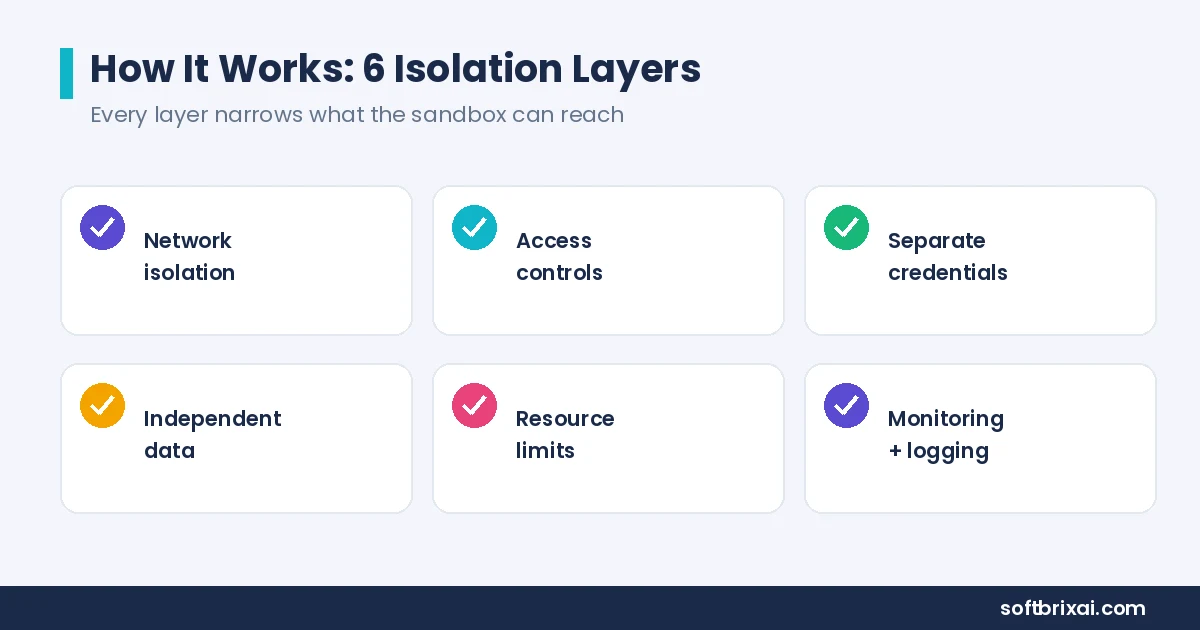
Network isolation. The sandbox runs on its own network segment or its own cloud account. Outbound traffic is restricted to an allowlist (a list of approved destinations), so the sandbox cannot call arbitrary external systems. Inbound access is limited to approved users and tools.
Access controls and permissions. Granular permissions decide who can enter the sandbox and what they can do inside it. A developer might get read and write access to application code but no access to the database. A tester might get read-only access to logs. Role-based rules keep the sandbox from becoming a backdoor into production.
Separate credentials and secrets. Production credentials, API keys, and database passwords never enter the sandbox. The sandbox uses its own credentials, often pointed at mock services. A mock payment API replaces the real payment provider, so test transactions never touch real money. Mock services also let teams send malformed requests on purpose to see how the code handles bad input.
Independent data. Sandboxes use data snapshots, synthetic data, or anonymized and masked copies of production data. Masking sensitive information removes names, card numbers, and other personal details before the data enters the sandbox. This keeps the sandbox realistic without exposing live data.
Resource limits. CPU, memory, and storage limits cap what the sandbox can consume. Limits keep one runaway process from starving other workloads and keep costs predictable.
Monitoring and logging. Every action inside the sandbox gets recorded. Logs show what code ran, what services it called, and what configuration changes happened. Monitoring turns the sandbox from a black box into an observable environment.
The blast radius of a failure is the key measure. A well-built sandbox keeps the blast radius small: a failure inside the sandbox affects only the sandbox. That is why sandboxes are used for production-like scenarios and real-world conditions testing without exposing production to risk.
One detail teams run into in practice: a sandbox alone gives code a machine, not the app’s data and backends. A verification loop that actually proves a change works needs the app’s real dependencies, its database schema, and its service configuration. Without those, the sandbox runs code but cannot confirm the code does the right thing.
Continuous integration and continuous delivery (CI/CD) pipelines sit between two trust models. On one side, developers want fast feedback and freedom to experiment. On the other side, security teams want every change to pass through controlled gates. Tools such as GitHub Actions and Jenkins run automated checks inside sandboxed runners, which gives both sides what they need: fast feedback for developers, contained execution for security. The CI/CD pipeline becomes the place where secure code execution is enforced, and the sandbox is the environment where that execution happens. Across the software development lifecycle (SDLC), the sandbox is the layer that lets teams move fast without moving risk into production.
Account-level isolation is the strongest version of this pattern in cloud environments. Instead of sharing one cloud account across teams, each sandbox gets its own separate AWS account, Google Cloud project, or Azure subscription. Account-level isolation limits the blast radius of a credential leak or a misconfigured resource to a single account.
Types of Sandbox Environments
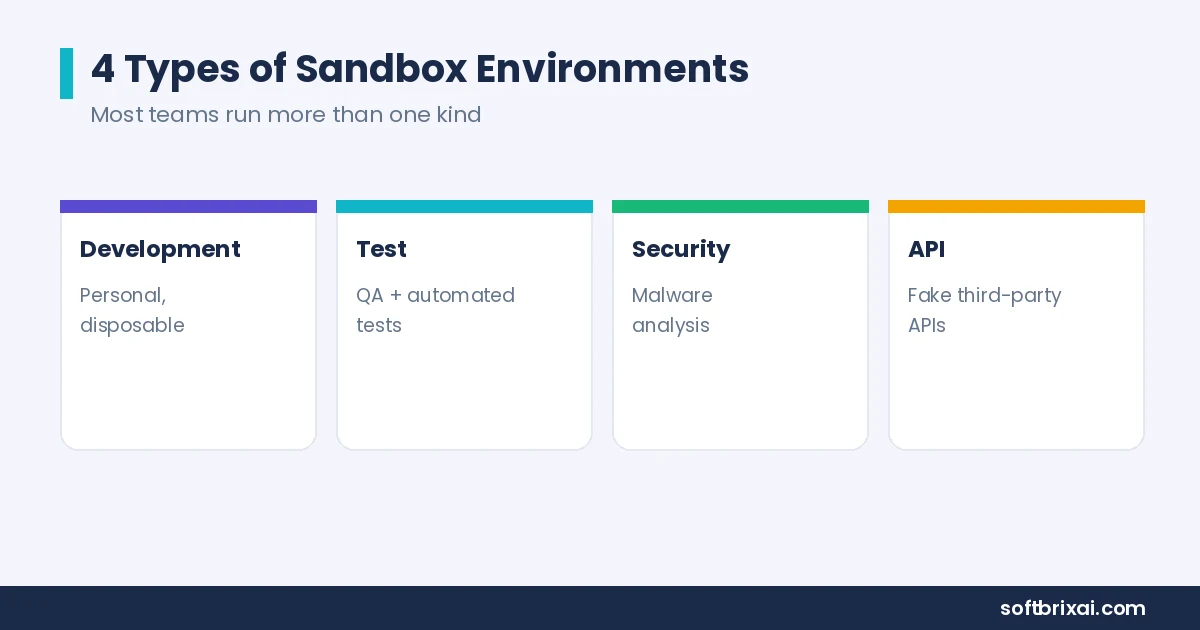
There are 4 main types of sandbox environments: development sandboxes, sandbox test environments, security sandboxes, and API or third-party sandboxes. Each type serves a different purpose in the software development lifecycle, and many teams run several types at once.
Development Sandbox
A development sandbox is a personal or team-level environment where developers write, run, and debug code without touching shared systems. The development sandbox mirrors enough of the production stack to be useful: the same runtime version, the same database engine (for example, Postgres or MySQL), and the same background jobs. It usually skips the scale of production, because a developer does not need production-sized data to debug a function.
Development sandboxes come in two common shapes. A local development setup runs on the developer’s own machine, often with containers, and gives the fastest feedback loop. A team-level environment runs in the cloud and is shareable, which helps when a feature spans multiple services. Both shapes are disposable: when the work is done, the sandbox goes away.
Sandbox Test Environment
A sandbox test environment is where quality assurance (QA) checks, automated tests, and user acceptance testing (UAT) run before code moves toward production. The sandbox test environment needs to be reproducible and shareable so that a failed test can be rerun and investigated.
Test environments vary in realism. A small integration test environment might run a single service against mocked dependencies. A fuller test environment runs the production stack with production-like traffic patterns, background jobs, and realistic data. The trade-off is always the same: more realism costs more to build and maintain, and less realism risks missing bugs that only appear with real dependencies.
Security Sandbox
A security sandbox is a contained environment for analyzing untrusted software, suspicious files, and potential threats. Security teams use it for malware analysis, security research, and threat research. The sandbox records operating system calls, registry activity, file changes, and network behavior, then reports what the sample did.
Security sandboxes are also used to contain untrusted applications during review. Instead of running a suspicious binary on an analyst’s workstation, the analyst runs it in a security sandbox and watches what happens. The isolation boundary is the whole product in this case: if the malware escapes, the sandbox has failed at its only job.
Penetration testing and application security testing often use security sandboxes too. Testers need a place to run exploits and probe for weaknesses without damaging production, and the sandbox gives them that space.
API and Third-Party Sandbox
An API sandbox is a simulated version of a third-party service that lets developers test integrations without touching the real service. Payment processor sandboxes, messaging platform sandboxes, and identity provider sandboxes all follow the same pattern: a fake version of the API that behaves like the real one.
The third-party sandbox is essential for integrations. A developer can test webhook behavior, authentication flows, error handling, and notification flows against the sandbox. Test charges run through the sandbox without moving real money. Real customers never see test data.
API sandboxes also let teams test failure modes that production APIs rarely produce. A sandbox can return a 500 error on demand, time out on purpose, or return malformed responses. That controlled failure testing is hard to do against a live third-party service.
Sandbox Isolation Models: Containers, MicroVMs, and Full VMs
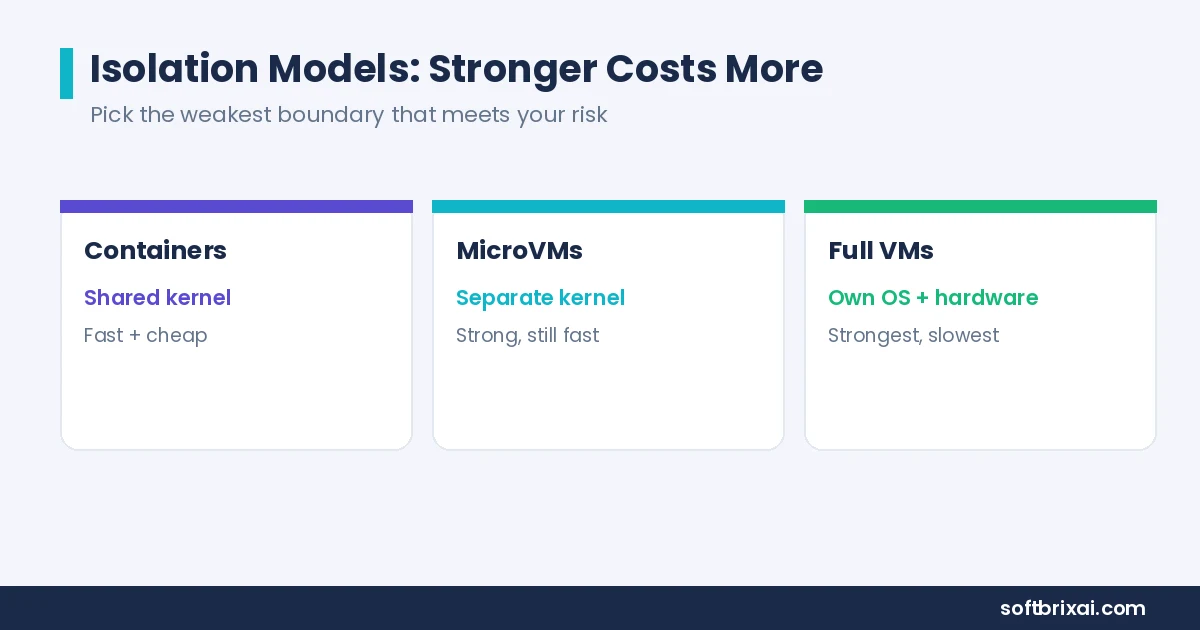
Sandbox isolation models fall into 3 groups: process-level isolation with containers, advanced isolation runtimes such as gVisor, Firecracker, and Kata Containers, and full VM isolation. The isolation model determines how strong the isolation boundary is and what it costs to run.
Process-Level Isolation With Containers
Process-level isolation uses Linux namespaces and cgroups to give each container its own view of the system. Namespaces control what a process can see: its own process tree, its own network stack, its own file system mounts. Cgroups control what a process can use: CPU, memory, and I/O limits.
Containers are fast to start and cheap to run. A container starts in well under a second in most cases and shares the host kernel, which keeps memory overhead low. Docker and Kubernetes made containerization the default for development and CI workloads, and most sandbox environments for software teams use containers as the base layer.
The trade-off is the shared kernel. All containers on a host share the same kernel, so a kernel vulnerability can become an escape path. Containers are a good fit for trusted or semi-trusted code where speed matters more than maximum isolation. They are a weaker fit for running genuinely untrusted workloads.
Advanced Isolation Runtimes: gVisor, Firecracker, and Kata Containers
Advanced isolation runtimes strengthen the boundary without giving up container speed.
gVisor runs a userspace kernel that intercepts system calls (syscalls) from the container before they reach the host kernel. The container thinks it is talking to a Linux kernel, but gVisor handles the calls in user space. That extra layer shrinks the host kernel’s attack surface.
Firecracker is a microVM-based runtime built on KVM (the Linux kernel’s virtualization module). A microVM is a lightweight virtual machine with its own kernel but a much smaller footprint than a traditional VM. Firecracker starts in milliseconds and gives each workload a separate kernel, which is a stronger boundary than plain containers.
Kata Containers runs each container inside a lightweight VM. The container interface stays the same, but the isolation model changes: the workload gets its own kernel and hardware-level separation. Kata is a common choice when teams want container workflows with VM-grade isolation.
These runtimes sit between containers and full VMs. They cost more than plain containers and less than full VMs, and they close the shared-kernel gap that makes plain containers risky for untrusted code.
Full VM Isolation
Full VM isolation gives each sandbox its own kernel, its own guest operating system, and hardware-level isolation enforced by the hypervisor (the software layer that runs virtual machines and keeps them separate). VMware, Oracle VirtualBox, and Microsoft Hyper-V are the classic examples on-premises. AWS Sandbox, Google Cloud Sandbox, and Microsoft Azure Sandbox provide the same model in cloud computing.
Full VMs offer the strongest isolation boundary of the 3 models. A kernel exploit inside the guest does not automatically reach the host, because the hypervisor sits between them. The cost is memory overhead and cold start times: a full VM takes longer to boot and consumes more resources than a container.
Full VM isolation fits workloads where the isolation boundary matters more than startup speed. Running untrusted code from external users, hosting security research environments, and containing high-risk workloads all justify the extra overhead.
The choice of isolation model is a choice about the isolation boundary. Teams pick the weakest boundary that still meets their risk tolerance, because stronger isolation costs more in resources and latency.
Sandbox Environment vs Test Environment vs Staging
A sandbox environment is an isolated space for safe experimentation, a test environment is a broader setup for running tests, and staging is the final pre-production environment before deployment. The 3 terms overlap, but they describe different stages and different purposes.
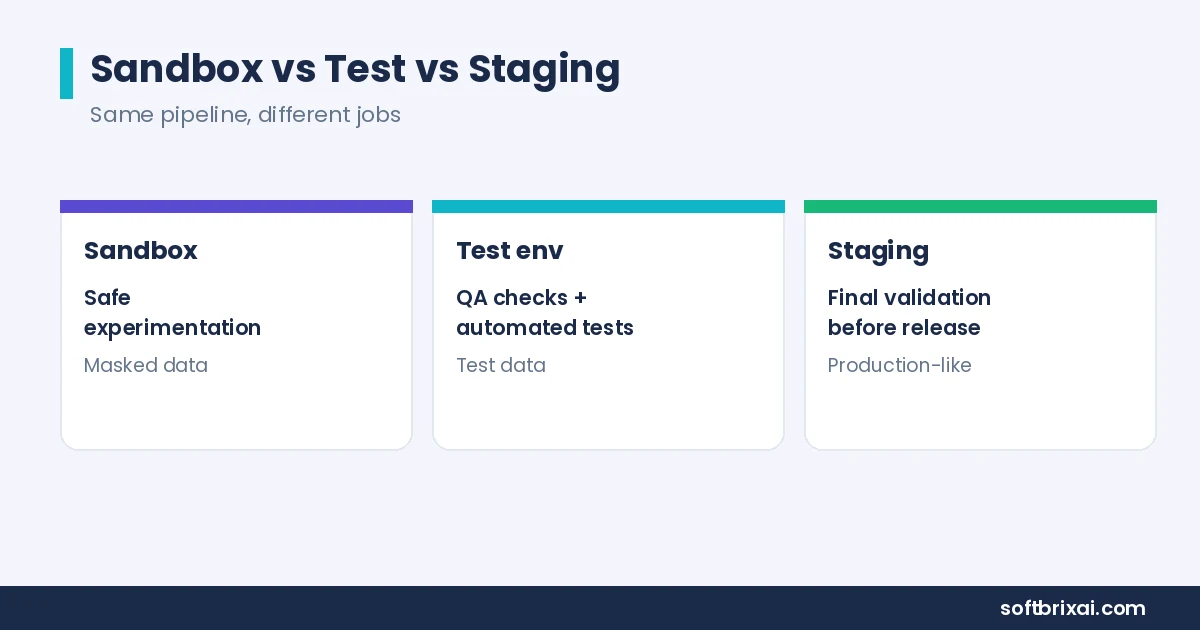
| Environment | Purpose | Data | Lifetime | Who uses it |
|---|---|---|---|---|
| Sandbox | Safe experimentation, isolated testing | Synthetic, masked, or sample data | Often ephemeral, sometimes persistent | Developers, testers, security analysts, end users in training |
| Test environment | Running QA checks and automated tests | Test data, sometimes production-like | Usually persistent during a release cycle | QA teams, automation |
| Staging | Final validation before production | Production-like data, often masked | Persistent, mirrors production | Release teams, UAT participants |
The difference between a sandbox and a test environment comes down to scope and intent. A sandbox is a contained space where you can try things without consequences. A test environment is a structured setup where defined tests run against defined criteria. A sandbox can be a test environment, but a test environment is not always a sandbox.
Staging is the last stop before production. It mirrors production as closely as possible, including the deployment stage itself, so the release team can confirm the deployment will work. Staging is not a sandbox: it is the final pre-production environment, and it carries more weight and more process than a sandbox.
UAT (user acceptance testing) often runs in staging or in a dedicated test environment. UAT confirms the software meets business requirements, which is a different question from whether the code works in isolation. A sandbox is the wrong place for UAT because the sandbox does not carry production-like data or full dependencies.
Ephemeral vs Persistent Sandbox Environments
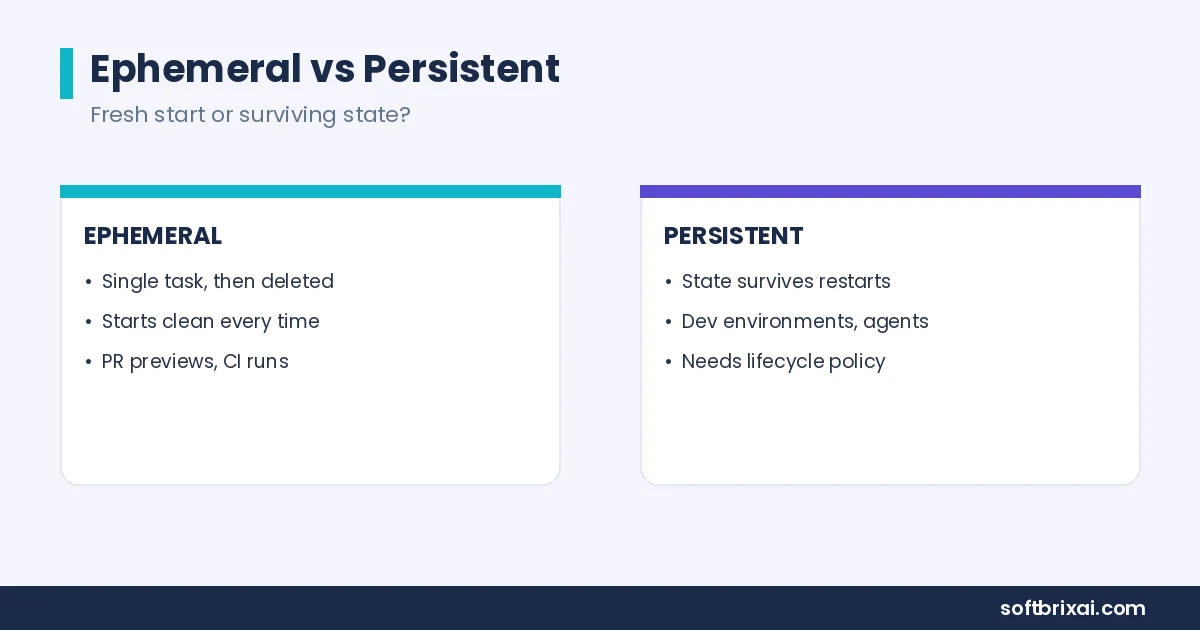
Sandbox environments come in 2 lifecycle models: ephemeral and persistent. The choice affects cost, state management, and how teams use the sandbox day to day.
Ephemeral Sandboxes
Ephemeral sandboxes are short-lived and disposable. A team creates one for a single task, runs the work, and deletes it. Ephemeral environments fit short-lived execution: a single request, a pull request preview, a one-off test run, or a coding agent task that finishes in minutes.
The advantage is cleanliness. Every ephemeral sandbox starts from a known state, so leftover configuration from a previous run cannot affect the current one. Ephemeral sandboxes are also cheap at scale because they do not sit idle. When the work finishes, the sandbox is garbage collected and the resources return to the pool.
Preview environments are a common form of ephemeral sandbox. A pull request triggers a preview-URL deployment, reviewers check the change in a live environment, and the environment disappears when the pull request merges or closes.
Persistent Sandbox Environments
Persistent sandbox environments run for longer periods and keep their state. They fit long-running agents, user sessions, stateful workloads, and per-developer environment setups where a developer returns to the same sandbox across days or weeks.
Persistent state adds complexity. The sandbox needs storage volumes that survive restarts, a stable network identity, and a lifecycle policy that decides when to refresh or retire it. Without a lifecycle policy, persistent sandboxes turn into zombie environments: forgotten sandboxes that keep consuming resources and drifting away from the current production configuration.
The practical rule: use ephemeral sandboxes for anything that can start fresh, and use persistent sandboxes only when state genuinely needs to survive. Most teams end up with a mix, with ephemeral sandboxes for CI and preview work and persistent sandboxes for development and training.
Why Sandbox Environments Matter More When AI Is Writing Code
Sandbox environments matter more when AI is writing code because AI tools generate code faster than teams can review it, and much of that code runs with real credentials and real access. A sandbox gives AI-generated code a contained place to execute before it reaches production.
The scale of AI adoption is real. Stack Overflow’s 2025 Developer Survey found that 84% of developers are using or planning to use AI tools, up from 76% the year before. More code is being generated, and more of it is being generated by people who did not write it line by line.
AI agents and code-generation tools change the risk profile in 3 ways.
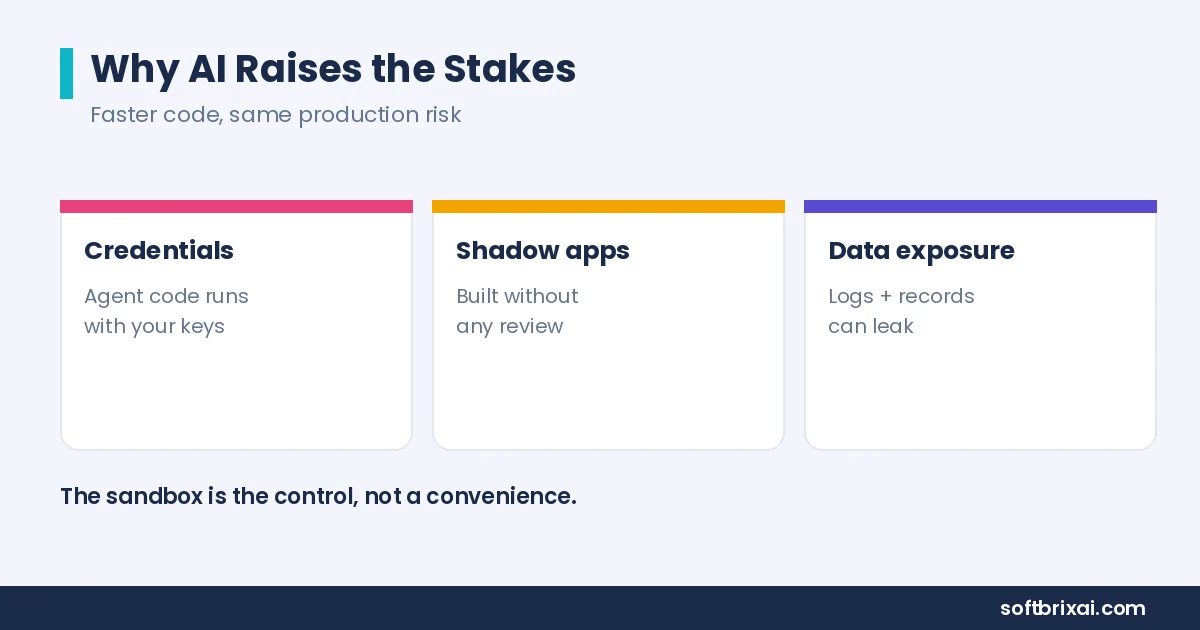
First, AI-generated code often runs with the credentials and permissions of the person who prompted it. If a coding agent has access to a production API key, the code it writes can call production. A sandbox removes those credentials and replaces them with sandbox-scoped ones.
Second, non-technical users now build internal apps. Sales, operations, finance, and support teams use AI tools to create internal tools, automations, dashboards, and scripts. These shadow applications and shadow IT projects often skip the formal development process entirely. They connect to external APIs, hold credentials, and cross security boundaries without anyone reviewing the design.
Third, AI-generated internal tools need an IT-approved place to run. A sandbox gives departments a sanctioned environment where AI-built apps can run, get reviewed, and either graduate to production or get retired. Enterprise governance and security teams get visibility, and business teams get speed.
DevSecOps (the practice of bringing security into development and operations) and application security testing practices adapt to this shift by moving the sandbox earlier in the workflow. Instead of treating the sandbox as a testing afterthought, teams make it the default execution environment for AI-generated code. Coding agents and autonomous agents run in sandboxes by design, and user-submitted code and user-submitted programs execute inside contained runtimes.
The data exposure risk is the sharpest concern. AI-generated code that touches logs, customer records, or internal systems can leak data if it runs in the wrong place. A sandbox with masked data and restricted outbound access limits what a bad generation can expose. That is why security teams treat the sandbox as a control, not a convenience.
Benefits of Using a Sandbox Environment
Sandbox environments offer 8 main benefits: reduced risk to production systems, secure testing, early issue detection, faster iterations, higher software quality, support for parallel development, compliance readiness, and training and demo support.
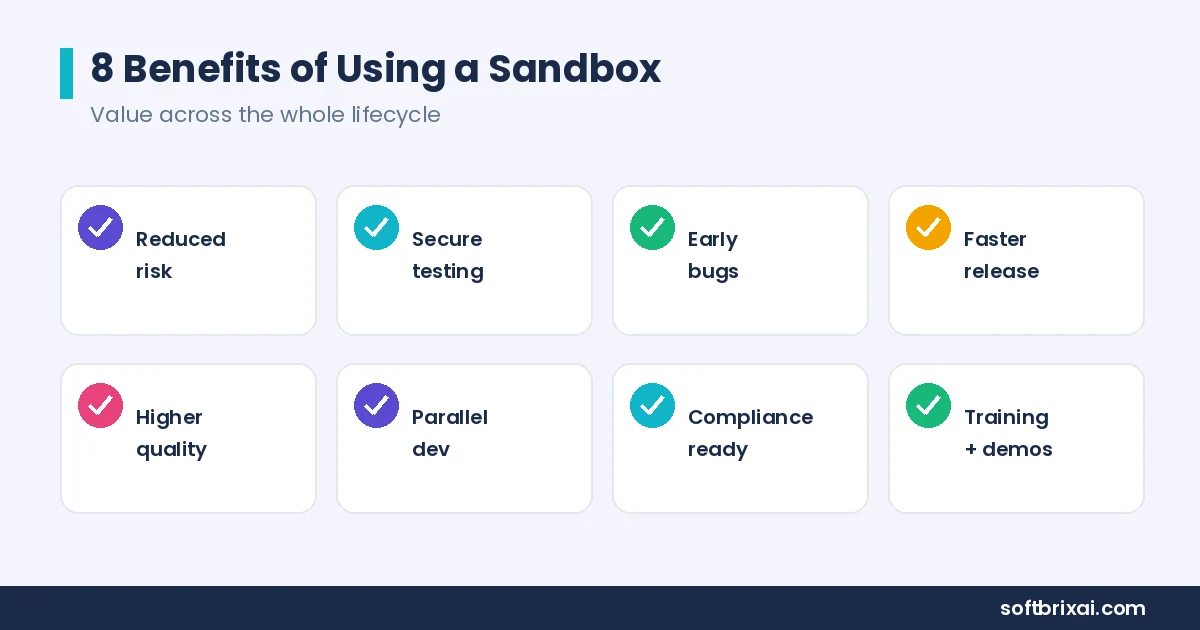
Reduced risk to production systems. A sandbox keeps experiments away from live systems. A failed test, a bad configuration change, or a runaway script affects only the sandbox.
Secure testing with realistic conditions. A sandbox can mirror production closely enough to catch real problems without exposing real users. Teams run performance testing, high-traffic scenarios, and scale testing inside sandboxes to find bottlenecks and infrastructure limits before launch.
Early issue detection. Bugs and performance issues surface in the sandbox, where they are cheap to fix. Finding a bug in a sandbox costs minutes. Finding the same bug in production costs customers.
Faster iterations and shorter time to release. Developers get fast feedback without waiting for shared environments. Less rework and fewer rollbacks shorten the path from code to release.
Higher software quality and confident deployments. Teams that test in sandboxes ship with more confidence. Continuous delivery and DevOps practices depend on environments where every change gets validated before it reaches users.
Support for parallel development. Multiple developers and teams work in separate sandboxes at the same time. Parallel development and agile workflows need that separation, because shared environments create contention and queueing.
Compliance and governance readiness. Sandboxes support regulatory standards such as SOX, GDPR, and HIPAA by giving teams a place to test security controls, run vulnerability testing and penetration tests, and validate data handling policies without touching sensitive data. Compliance auditors want evidence that changes are tested before release, and sandboxes provide that evidence.
Training, onboarding, and demos. New users learn in a safe environment where mistakes cost nothing. Onboarding sessions, demos, and training exercises run in sandboxes so trainees can explore user permissions, user behavior, workflows, customizations, and third-party integrations without risk to live data.
The benefits compound across the application lifecycle. Application security, system performance, and resilience all improve when teams have a contained place to test load, failure, and high-demand periods.
Limitations and Trade-Offs of a Sandbox Environment
Sandbox environments have 6 main limitations: cold start latency, resource overhead at scale, outbound access restrictions, escape risks, persistent state complexity, and operational overhead. Teams that plan for these trade-offs get more value from their sandboxes.
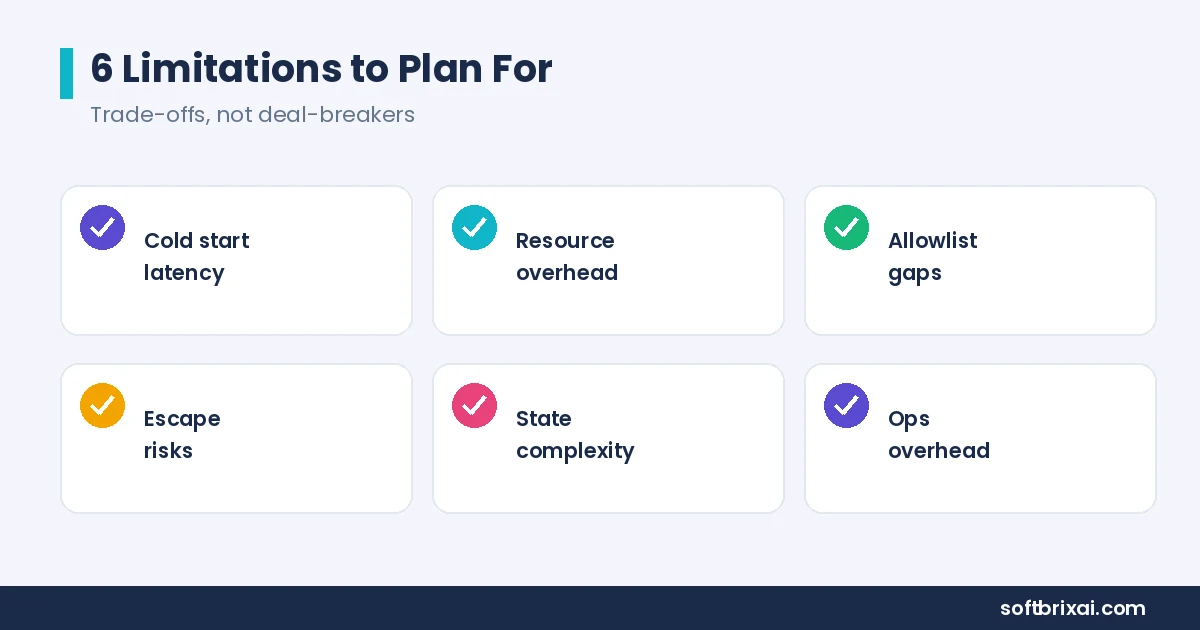
Cold start latency and variance. A sandbox takes time to become ready. Image pulls, network setup, and process initialization add up, and the end-to-end time varies between runs. Cold start latency variance is the harder problem: a sandbox that starts in 2 seconds sometimes takes 20, which makes performance testing unreliable inside the sandbox. Teams measure startup time separately from application time to avoid confusing the two.
Resource overhead at scale. Every sandbox consumes CPU, memory, and storage. At high concurrency, those costs add up. Resource limits keep individual sandboxes in check, but the aggregate cost still requires efficient scheduling and lifecycle management. Full VM isolation costs more than containers, and the isolation strength has to justify the price.
Outbound access restrictions. Sandboxes restrict outbound access to allowlisted endpoints. That restriction is a security feature, but it also means some integrations fail inside the sandbox simply because the destination is not on the list. Teams spend time debugging allowlist gaps that would never appear in production.
Escape risks. A sandbox can be escaped. Kernel vulnerabilities, misconfigurations, and overly broad permissions all create escape paths. Containers share the host kernel, which makes kernel exploits the main escape vector. Defense in depth matters here: least-privilege configuration, regular patching, and monitoring reduce the attack surface, but no single control eliminates escape risk.
Persistent state complexity. Persistent sandboxes need storage volumes, stable network identities, and lifecycle policies. Without those, they drift from the current production configuration and lose their testing value. Zombie environments consume resources and confuse teams about which sandbox is current.
Operational overhead. Someone has to build, patch, monitor, and retire the sandboxes. That operational overhead is real, and it is the main reason teams choose a managed sandbox provider instead of building their own. The trade-off is control versus effort: self-hosted sandboxes give more control, and managed sandboxes remove the operational burden.
How to Set Up a Sandbox Environment
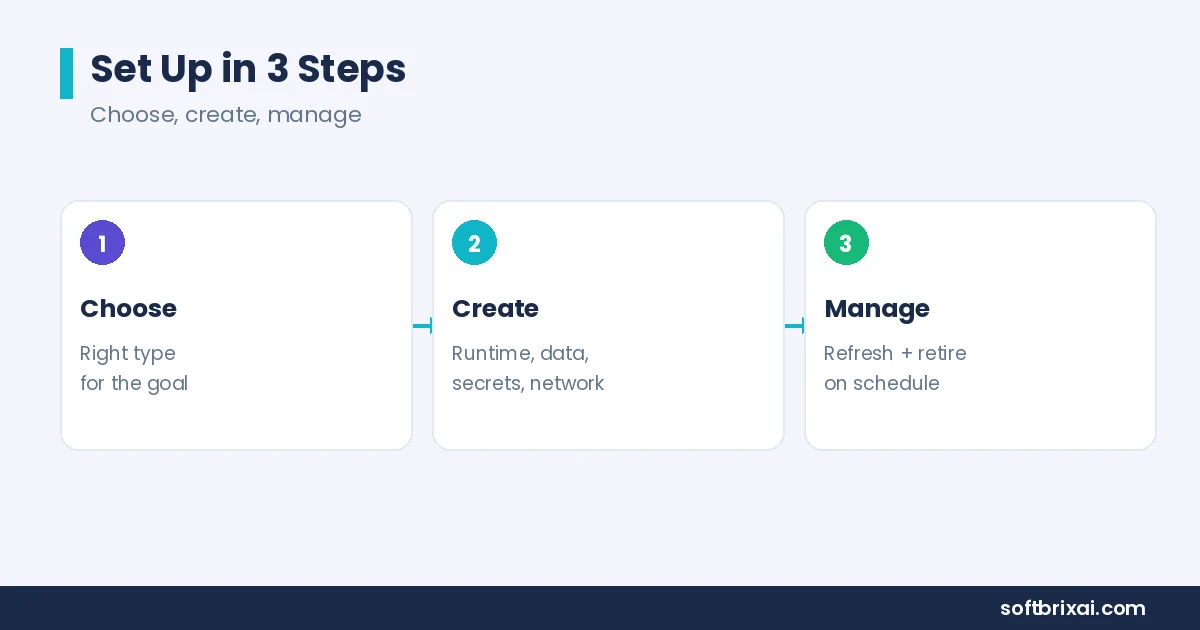
To set up a sandbox environment, follow 3 steps: choose the right sandbox type, create and configure the sandbox, and manage and refresh it over time. Each step has specific decisions that affect how useful the sandbox will be.
Step 1: Choose the Right Sandbox Type
Choose the sandbox type based on your testing goals, project scope, and risk tolerance. A development sandbox fits individual development work. A sandbox test environment fits QA and automated testing. A security sandbox fits threat research and malware analysis. An API sandbox fits third-party integration work.
Commercial platforms offer their own sandbox tiers. Salesforce, for example, offers 4 sandbox types: Developer, Developer Pro, Partial Copy, and Full. Each tier differs in storage, data, and refresh interval. The Salesforce example shows the general pattern: sandbox types trade realism against cost and setup time. Pick the lightest type that meets your goal.
Pick the isolation model that fits the workload. Containers fit trusted code and fast feedback. Advanced isolation runtimes fit semi-trusted code that needs a stronger boundary. Full VM isolation fits untrusted code and high-risk workloads.
Step 2: Create and Configure Your Sandbox
To create and configure a sandbox, start with a name, description, and purpose so the team knows what the sandbox is for. Then apply a template that matches your production stack.
Configuration covers 6 areas:
Base image and runtime. Use the same runtime version as production, whether that is a specific language version, a database engine such as Postgres or MySQL, or a platform runtime.
Data setup. Load a sample of production data or synthetic data that matches realistic data scenarios. Mask sensitive fields before the data enters the sandbox.
Credentials and secrets. Replace production credentials with sandbox-scoped ones. Point integrations at mock services.
Network rules. Define the allowlist for outbound access and the inbound access rules for users and tools.
Resource limits. Set CPU, memory, and storage limits so the sandbox cannot starve other workloads.
Monitoring and logging. Turn on logs and metrics before the first workload runs, so the sandbox is observable from day one.
A complete replica of production is rarely necessary. A sandbox that is fast to create and close enough to production beats a perfect replica that takes a week to build.
Step 3: Manage and Refresh Your Sandbox
To manage and refresh a sandbox, set a refresh cycle that keeps the sandbox aligned with the current production environment. A stale sandbox produces stale test results, and stale test results erode trust in the sandbox.
Refresh cycles vary by sandbox type. Salesforce, for example, lets Developer sandboxes refresh daily, while Full sandboxes refresh every 29 days, which shows how much intervals can differ. A development sandbox might refresh weekly. A sandbox test environment might refresh daily during an active release cycle. The right interval depends on how fast production changes and how much test relevance and accuracy the team needs.
Delete unused sandboxes on a schedule. A lifecycle policy that retires idle sandboxes frees resources and prevents zombie environments. Tag every sandbox with an owner and an expiration date so cleanup is automatic.
Track resource usage and review it monthly. Sandboxes that consistently hit resource limits need bigger limits or smaller workloads. Sandboxes that never hit limits are probably oversized.
What to Look for in a Sandbox Environment for Software Deployment
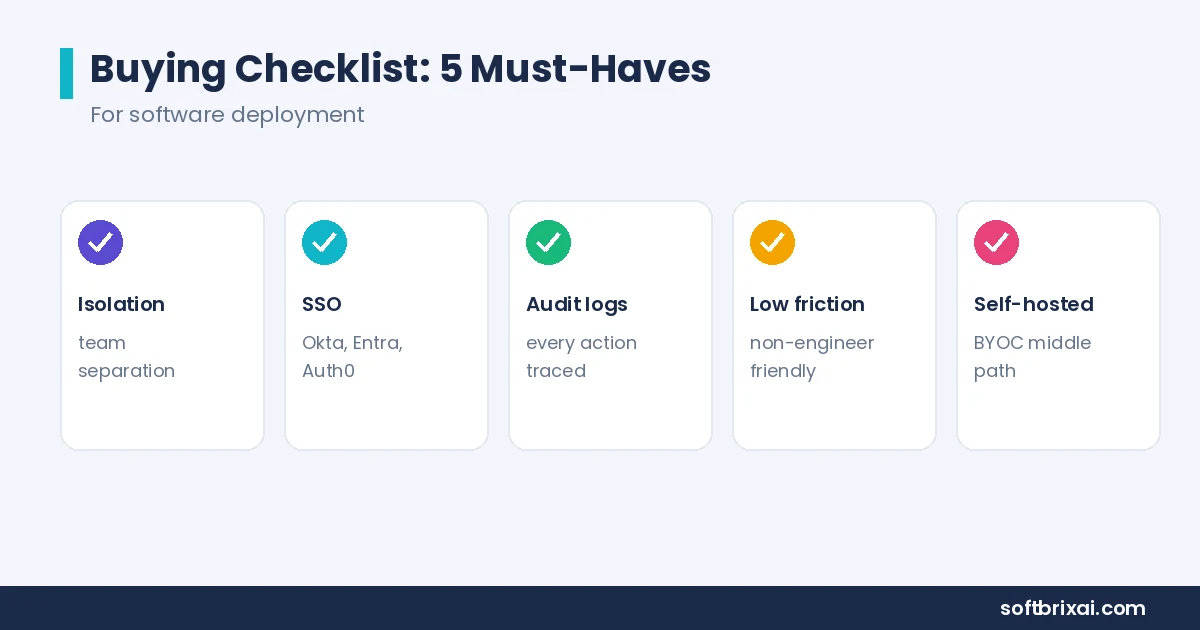
The best sandbox environment for software deployment offers 5 things: strong isolation and access controls, identity integration with single sign-on, audit logging, low-friction deployment, and a choice between self-hosted and managed deployment. Evaluate each one against your team size, compliance needs, and infrastructure model. Start with four questions: who controls the code, does it need to keep state, where must it run, and how much traffic will it face? Trusted code from your own engineers can run in containers, while AI-generated or user-submitted code deserves microVM isolation. If sessions must keep state, confirm persistent support. If data cannot leave your infrastructure, self-hosted or bring-your-own-cloud deployment becomes a hard requirement. At high concurrency, you need pre-warming, efficient scheduling, and per-sandbox resource limits.
Isolation and Access Controls
Isolation and access controls decide who can reach the sandbox and what the sandbox can reach. Look for a clear isolation boundary, granular permissions, and role-based user management with team-level and project-level separation.
The sandbox should be observable. Logs, metrics, and traces should be available without extra setup. A sandbox you cannot observe is a sandbox you cannot trust.
Untrusted code needs full VM isolation or an advanced isolation runtime. Trusted internal code can run in containers. The isolation boundary should be a deliberate choice, not a default.
Identity Integration and Single Sign-On
Identity integration means the sandbox connects to your existing identity providers: Okta, Microsoft Entra ID, Auth0, Keycloak, or any OIDC or SAML provider. SSO support lets users sign in with their existing accounts, which removes a separate password and a separate account lifecycle.
SCIM support matters for larger teams. SCIM (System for Cross-domain Identity Management) automates provisioning and deprovisioning, so the joiner-mover-leaver process stays consistent across the sandbox and the rest of your systems. When someone leaves the company, SCIM removes their sandbox access at the same time it removes their other access.
Without identity integration, sandbox access drifts. Former employees keep access, contractors accumulate permissions, and nobody knows who can enter the sandbox.
Audit Logging
Audit logging records member actions inside the sandbox: who created it, who accessed it, what commands ran, and what configuration changed. Logs should be exportable to your existing security tooling and retained according to your compliance requirements.
Custom roles and granular roles make audit logs more useful because every action maps to a defined permission. Audit logs also support incident response. When something goes wrong, the logs show what happened and who did it.
Low-Friction Deployment
Low-friction deployment means a non-engineer can use the sandbox without deep infrastructure knowledge. Look for a UI that handles common tasks, SDK access for developers, and options that do not require SSH access or command-line knowledge for every operation.
The sandbox should connect to your existing workflow. If your team uses GitHub, the sandbox should integrate with GitHub repositories. If your team deploys with Docker Compose or Kubernetes, the sandbox should accept those formats. The deployment path from sandbox to production should be the same path your application deployment platform uses, so what works in the sandbox works in production.
Self-Hosted or Managed Deployment
The self-hosted option keeps the sandbox inside your own infrastructure. Self-hosted sandboxes fit data residency requirements, strict network rules, and organizations that cannot send code to third-party infrastructure. The trade-off is operational overhead: your team builds, patches, and monitors the sandbox platform.
Managed sandboxes remove that overhead. Hosted sandbox providers such as E2B, Daytona, Modal, and Cloudflare Sandboxes offer purpose-built sandbox APIs, snapshots, persistence, multi-region options, and SDK access. They are examples of hosted options, not recommendations. Evaluate them against your requirements.
Bring your own cloud (BYOC) is a middle path. The sandbox provider runs the control plane, and the workloads run in your cloud account, which keeps data inside your perimeter while removing most of the operational burden.
For enterprise software deployment, the checklist also includes multi-server deployment support, templates, backups, monitoring for databases and services, and a clear path from sandbox to production. Enterprise security teams should review the isolation model, the identity integration, and the audit logging before rollout.
Final Thoughts
A sandbox environment is an isolated, controlled space where code, files, and users can operate without touching production. The isolation boundary, the resource limits, the access controls, and the monitoring are what make a sandbox useful. The main types are development sandboxes, sandbox test environments, security sandboxes, and API or third-party sandboxes, and the main isolation models are process-level isolation with containers, advanced isolation runtimes, and full VM isolation.
Sandboxes matter more as AI writes more code. AI agents, code-generation tools, and non-technical builders produce code faster than traditional review can keep up, and a sandbox gives that code a contained place to run. The benefits are real: less risk to production, secure testing, early issue detection, faster iterations, compliance readiness, and training support. The limitations are real too: cold start latency, resource overhead, escape risks, and the operational work of keeping sandboxes current.
Choose the sandbox type that matches your testing goals, pick the isolation boundary that matches your risk tolerance, and manage the lifecycle so sandboxes stay useful. Do those 3 things, and the sandbox becomes one of the highest-leverage controls in your software development lifecycle.
Frequently Asked Questions About Sandbox Environments
What is a sandbox environment in software development?
A sandbox environment in software development is an isolated space where developers and testers run code, test features, and validate changes without affecting production. It has its own resources, data, and access rules. Teams use it for experimentation, QA checks, and safe code execution. The sandbox limits the blast radius of failures, so a broken build or a bad configuration stays contained instead of reaching real users or live data. A sandbox can also host training sessions and demos, because trainees can explore freely while the live system stays untouched.
What is the difference between a sandbox environment and a test environment?
The difference between a sandbox environment and a test environment is scope and intent. A sandbox is a contained space for safe experimentation, often ephemeral and often using synthetic or masked data. A test environment is a structured setup where defined tests run against defined criteria, usually persistent during a release cycle. A sandbox can serve as a test environment, but a test environment is not always a sandbox. Staging, by contrast, is the final check before release, so it carries stricter controls and a closer copy of production.
Is a sandbox environment the same as staging?
No, a sandbox environment is not the same as staging. Staging is the final pre-production environment before deployment. It mirrors production closely and carries the release process. A sandbox is a contained space for experimentation and testing that sits earlier in the workflow. Staging validates the release, and the sandbox validates the work before it reaches staging. Teams often run many sandboxes but keep only a few staging environments, because staging must mirror production closely while sandboxes stay cheap and disposable, and that difference keeps the release process both fast and safe.
Is a sandbox the same as a virtual machine?
No, a sandbox is not the same as a virtual machine. A virtual machine is one isolation technology: it provides its own kernel and guest OS with hardware-level isolation. A sandbox is the broader concept of an isolated environment, and it can be built on containers, advanced isolation runtimes, or full VMs. Every VM can host a sandbox, but not every sandbox uses a VM. Think of the sandbox as the isolated room and the virtual machine as one way to build that room, alongside containers and microVM runtimes.
Are containers secure sandboxes?
Containers are secure sandboxes for trusted or semi-trusted code, but they are weaker for untrusted code. Containers share the host kernel, so a kernel vulnerability can become an escape path. For untrusted workloads, use advanced isolation runtimes such as gVisor, Firecracker, or Kata Containers, or use full VM isolation. Match the isolation strength to the risk of the code you run. The rule is simple: match the isolation strength to the risk of the code, and never let untrusted code run on a shared kernel without extra controls in place.
Can a sandbox environment be escaped?
Yes, a sandbox environment can be escaped. Kernel vulnerabilities, misconfigurations, and overly broad permissions all create escape paths. Containers carry more escape risk because they share the host kernel. Defense in depth reduces the risk: least-privilege configuration, regular patching, network restrictions, and monitoring. No single control eliminates escape risk, so layer the controls. Escape paths usually come from misconfigurations, unpatched kernels, or overly broad permissions, so regular patching, tight permissions, and continuous monitoring matter as much as the isolation technology itself, and teams that layer these controls are far safer than teams that trust one boundary alone.
What is the best sandbox environment for software deployment?
The best sandbox environment for software deployment depends on your needs. Look for strong isolation and access controls, identity integration with SSO and SCIM, audit logging, low-friction deployment, and a choice between self-hosted and managed options. Match the isolation model to your workloads and confirm the sandbox connects to your existing CI/CD pipeline and application deployment platform, because a sandbox that sits outside your workflow will slowly stop being used by the team. A checklist that nobody opens is just a document, so pick the platform your team will actually use every day.
How do I set up a sandbox environment for my team?
To set up a sandbox environment for your team, follow 3 steps: choose the sandbox type that matches your testing goals, create and configure it with the right runtime, data, credentials, network rules, and monitoring, then manage and refresh it on a schedule. Tag every sandbox with an owner and expiration date, delete idle sandboxes, and review resource usage monthly so the sandbox stays useful and cost-effective. Review the setup monthly as well, because teams, tools, and production systems all change, and a sandbox that never gets reviewed quietly stops matching reality.